
Classface - Face Recognition Attendance
Free to download & no ads forever
No more manual roll call. Classface identifies students from a single photo with on-device AI and exports attendance to PDF or CSV.

Classface turns your iPhone into a smart attendance assistant. Say goodbye to slow, manual roll calls. Snap a photo of the classroom and Classface instantly identifies students using on-device face recognition. No internet connection. No cloud uploads. Student photos and attendance records never leave your device. Perfect for teachers, professors, and course administrators who want accurate attendance without the paperwork.
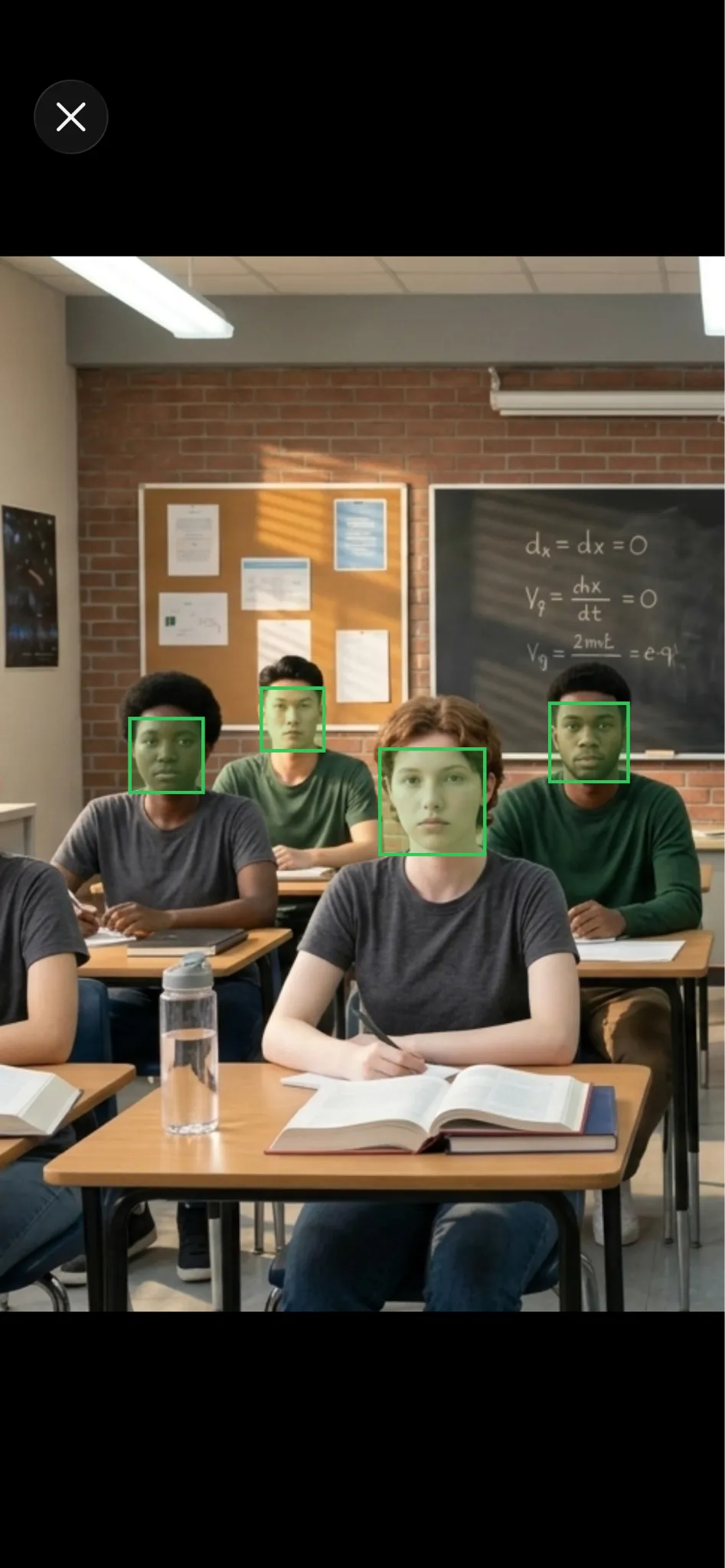
Photo attendance
With this feature, you can take attendance by taking a photo.
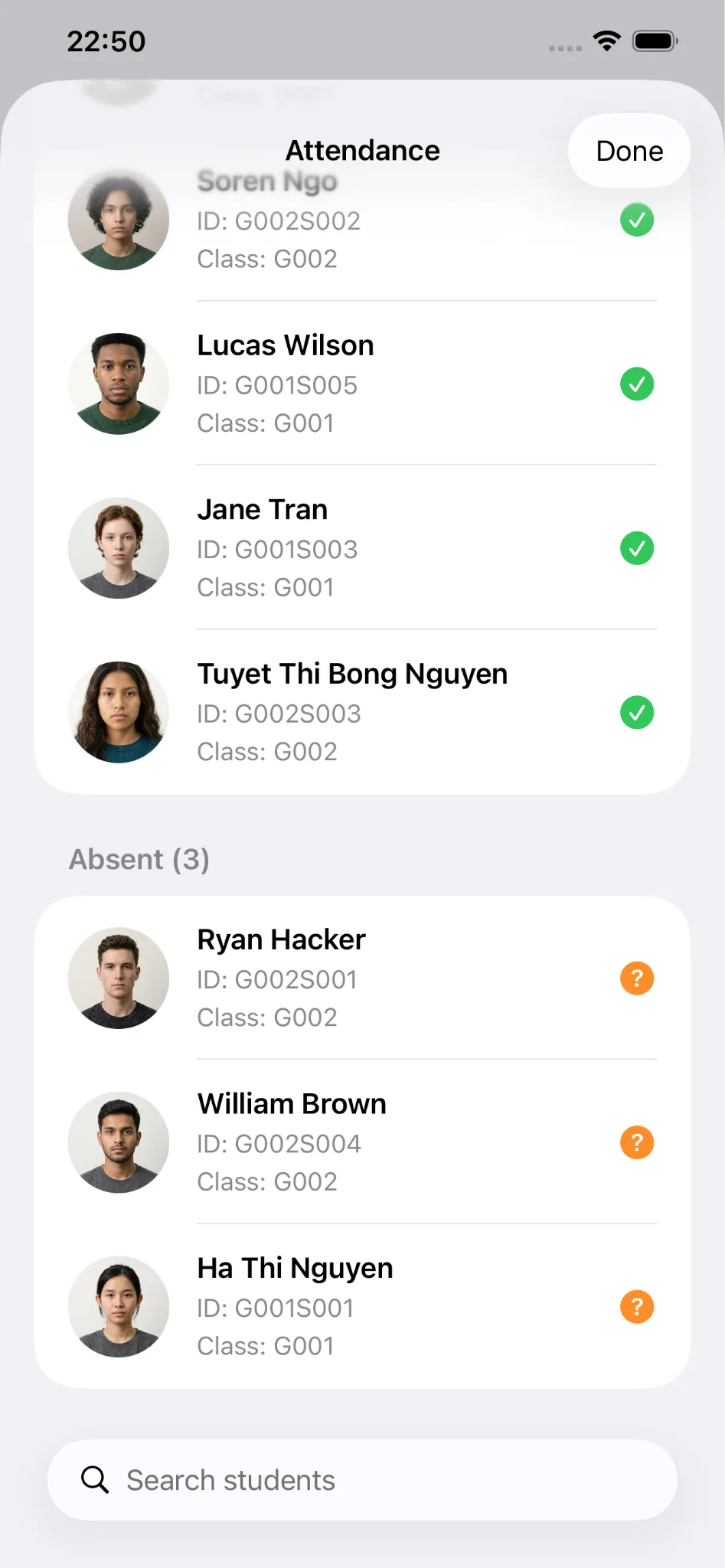
Identify who is absent
Green means present, orange means absent.
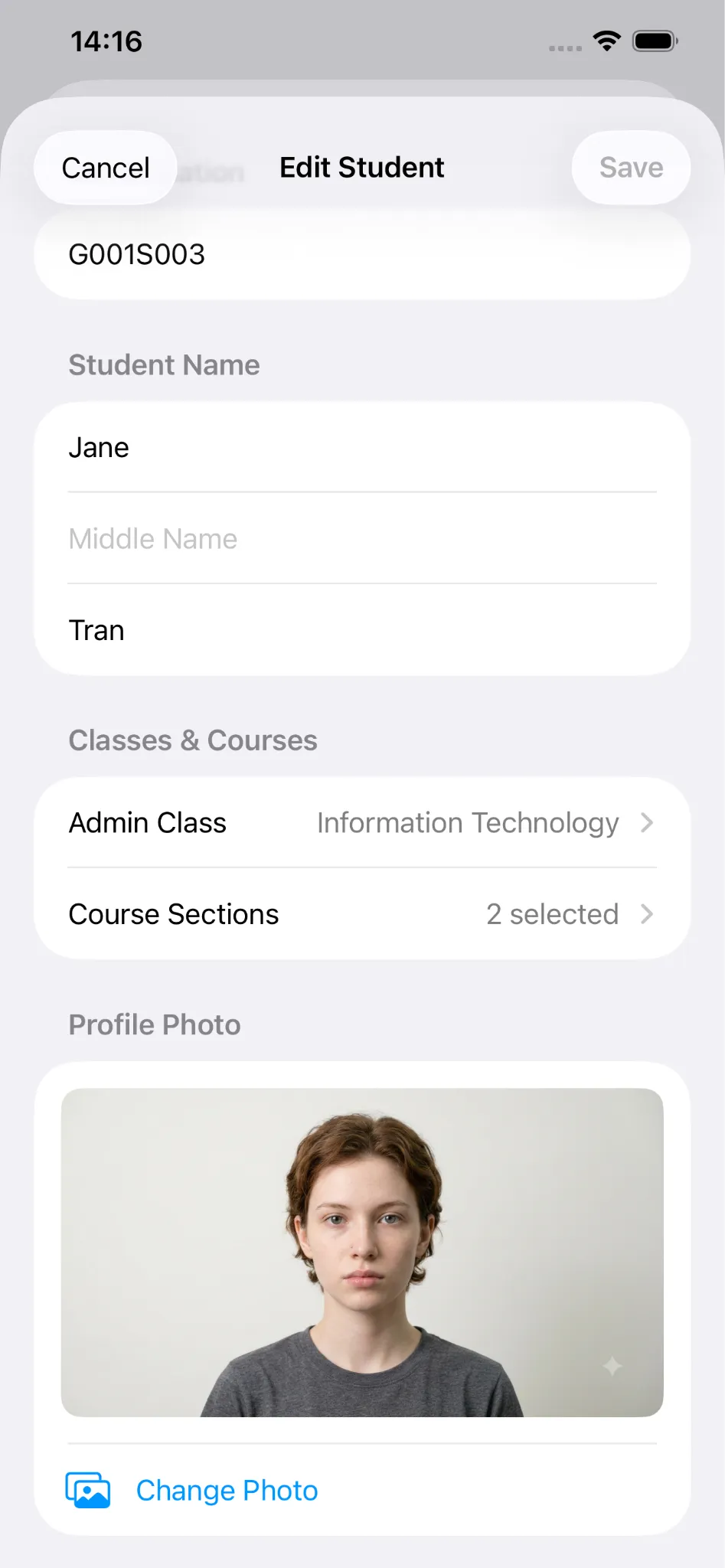
Adding/Editing Student - One face photo is enough
You can edit the ID, first, middle, last name, admin class, course sections, and profile photo of the student.
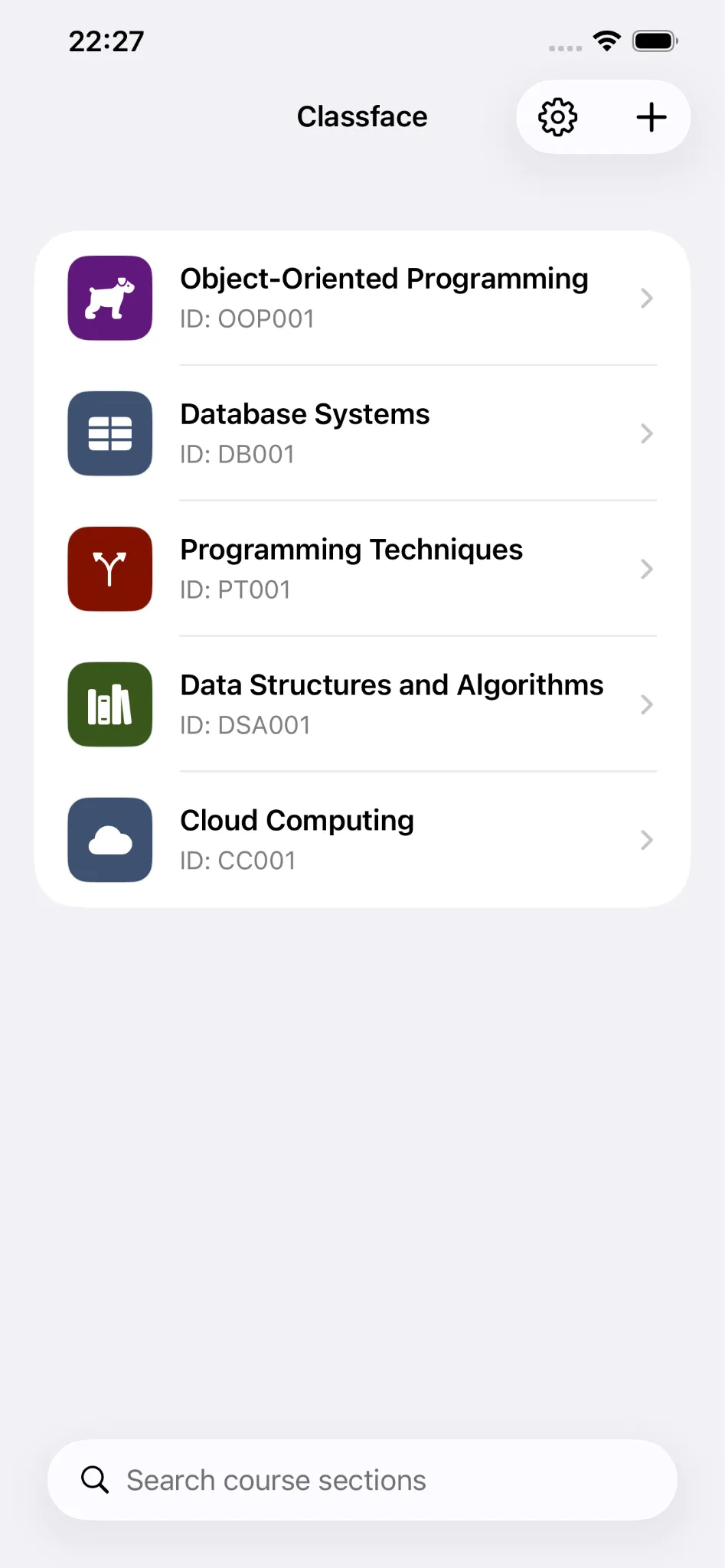
One teacher - Many classes
This app is suitable for a teacher who has many course sections.
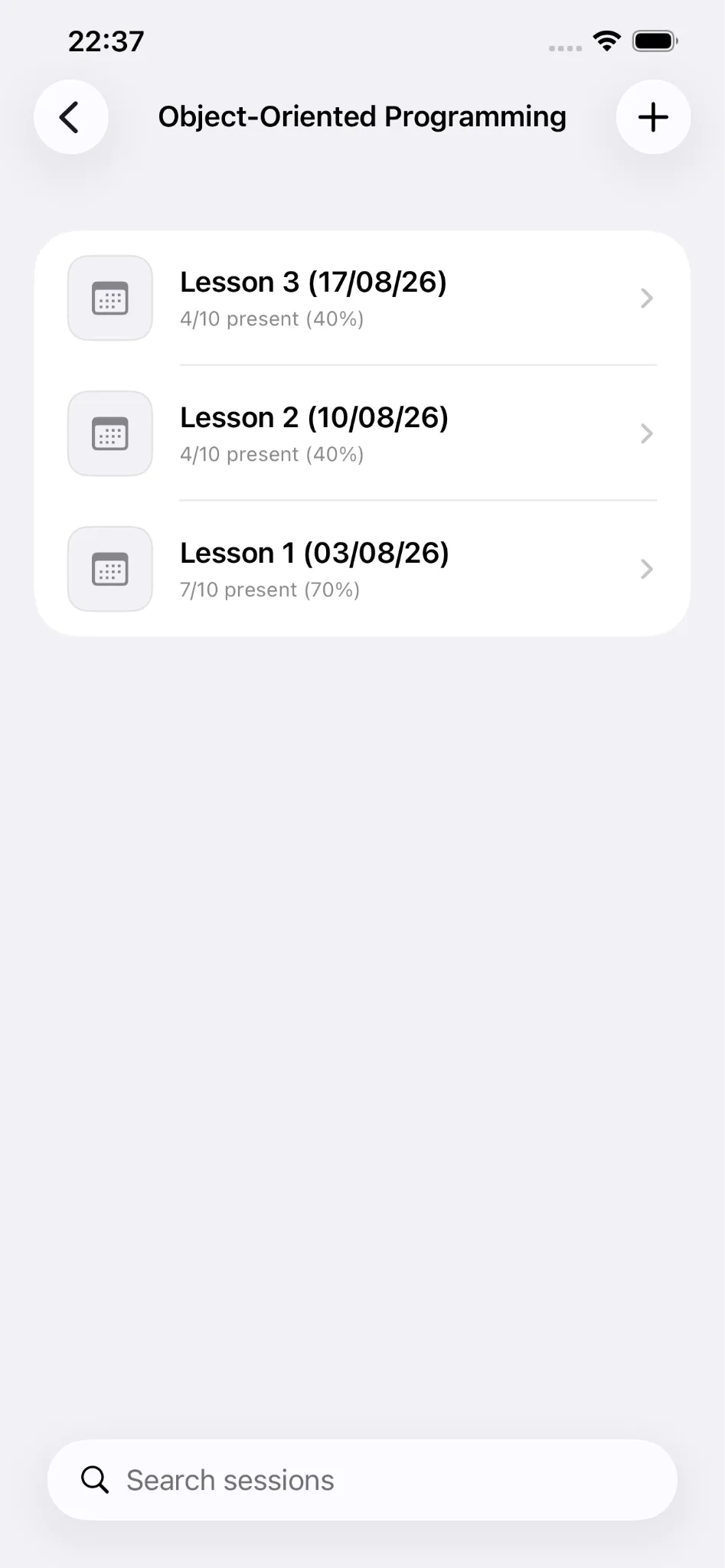
One class - Many lessons
This feature is suitable for a course section, which has many lessons.
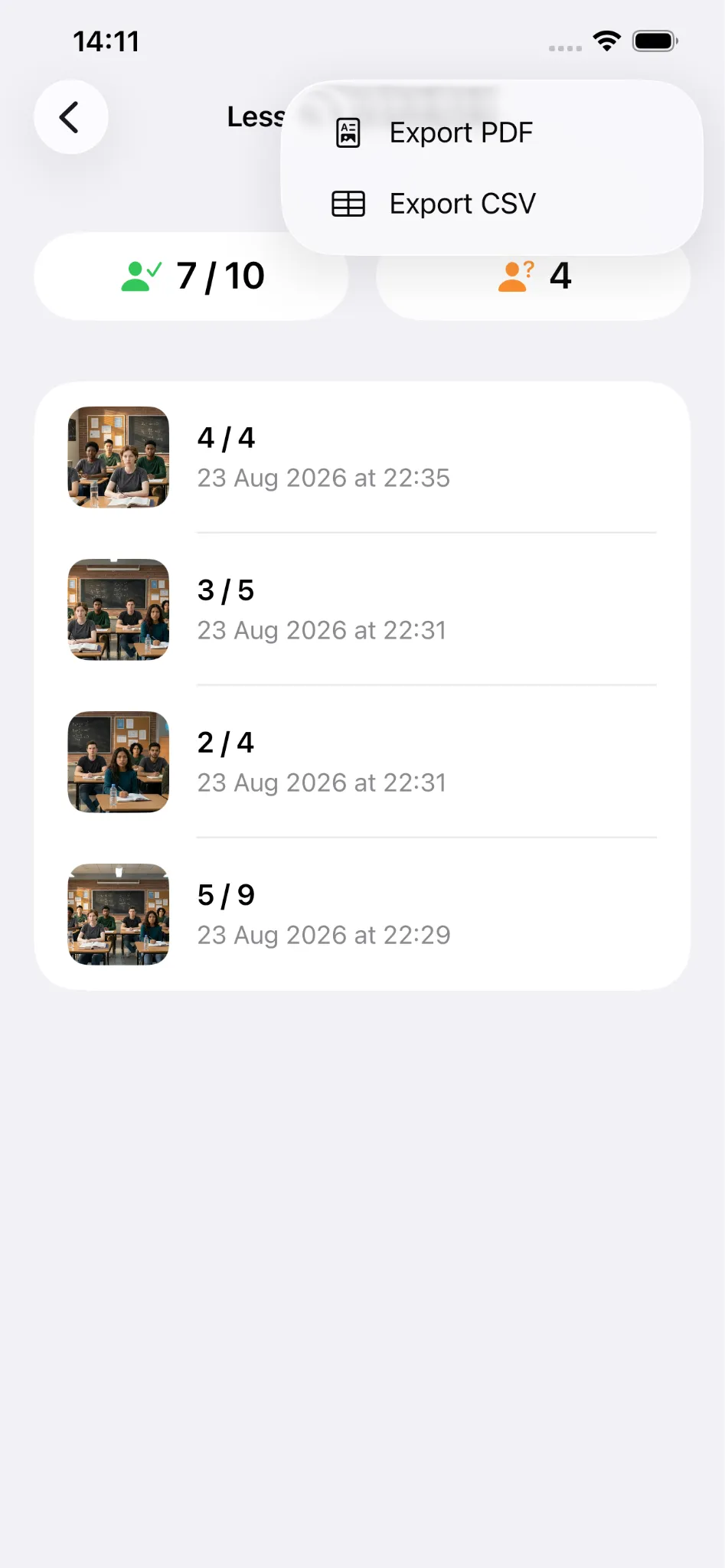
One lesson - Many attendance photos
This feature helps cameras with low resolution.
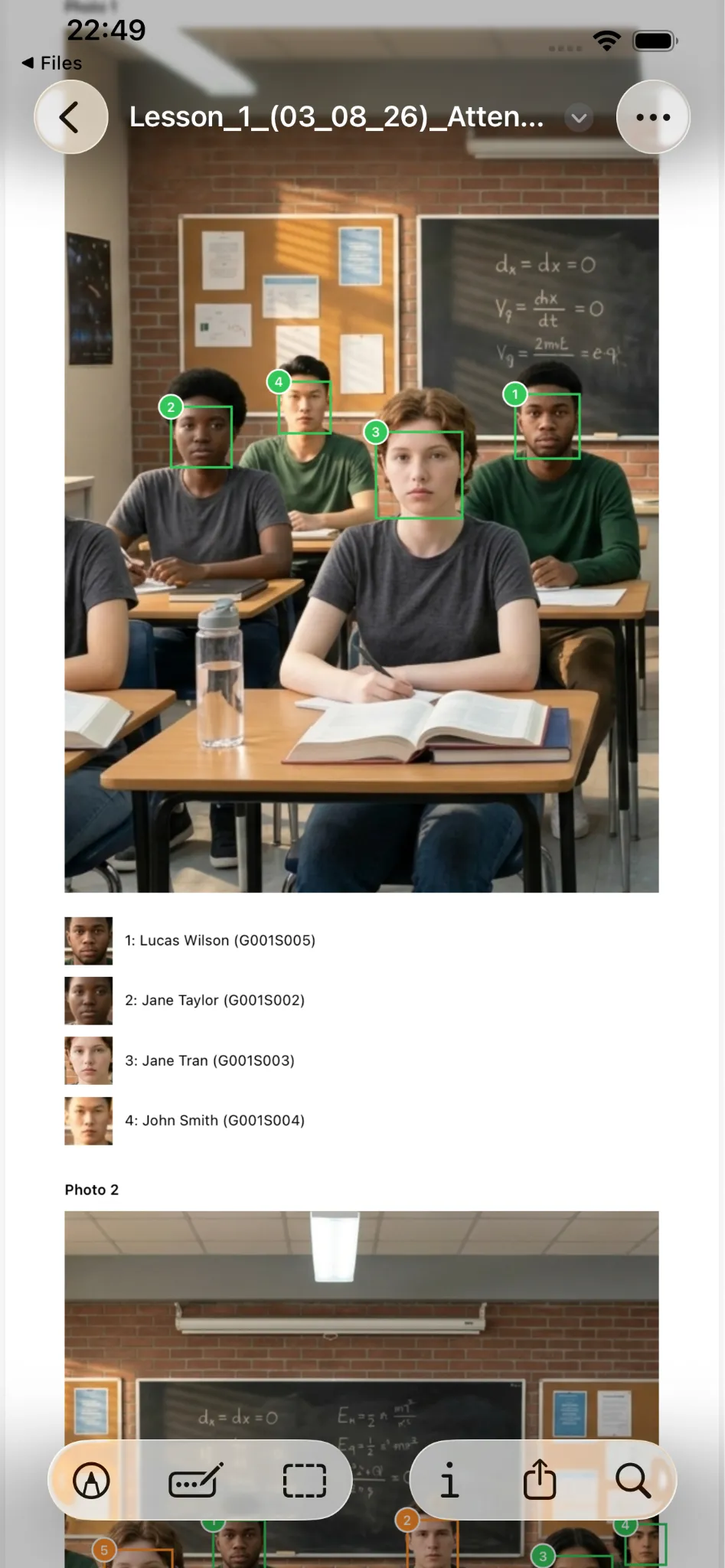
Exporting PDF
You can use this PDF file to send to your students to verify their attendance.
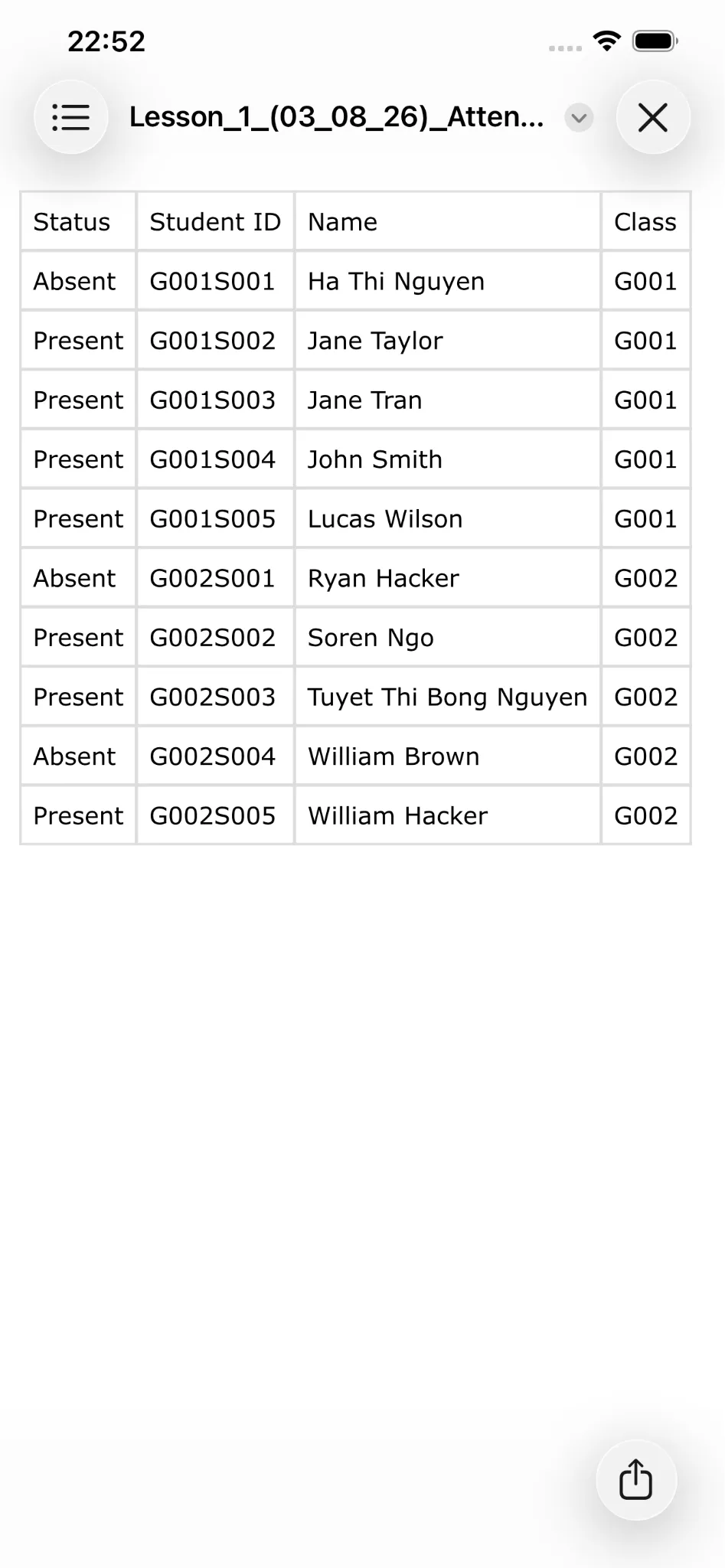
Exporting CSV
I hope tools like Excel will accept CSV files.
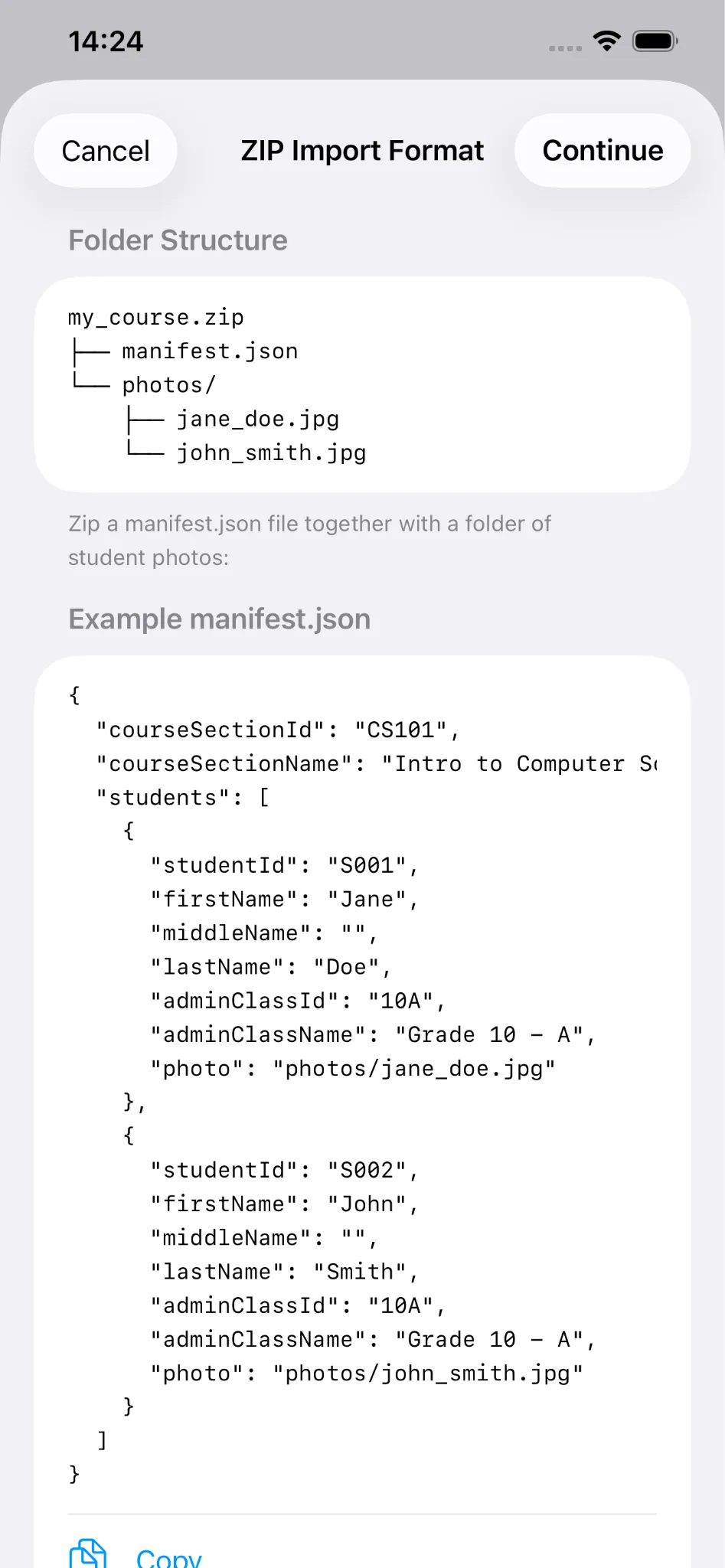
Add classes quickly
You no longer need to manually add new classes through the app; just prepare a .zip file as I requested.
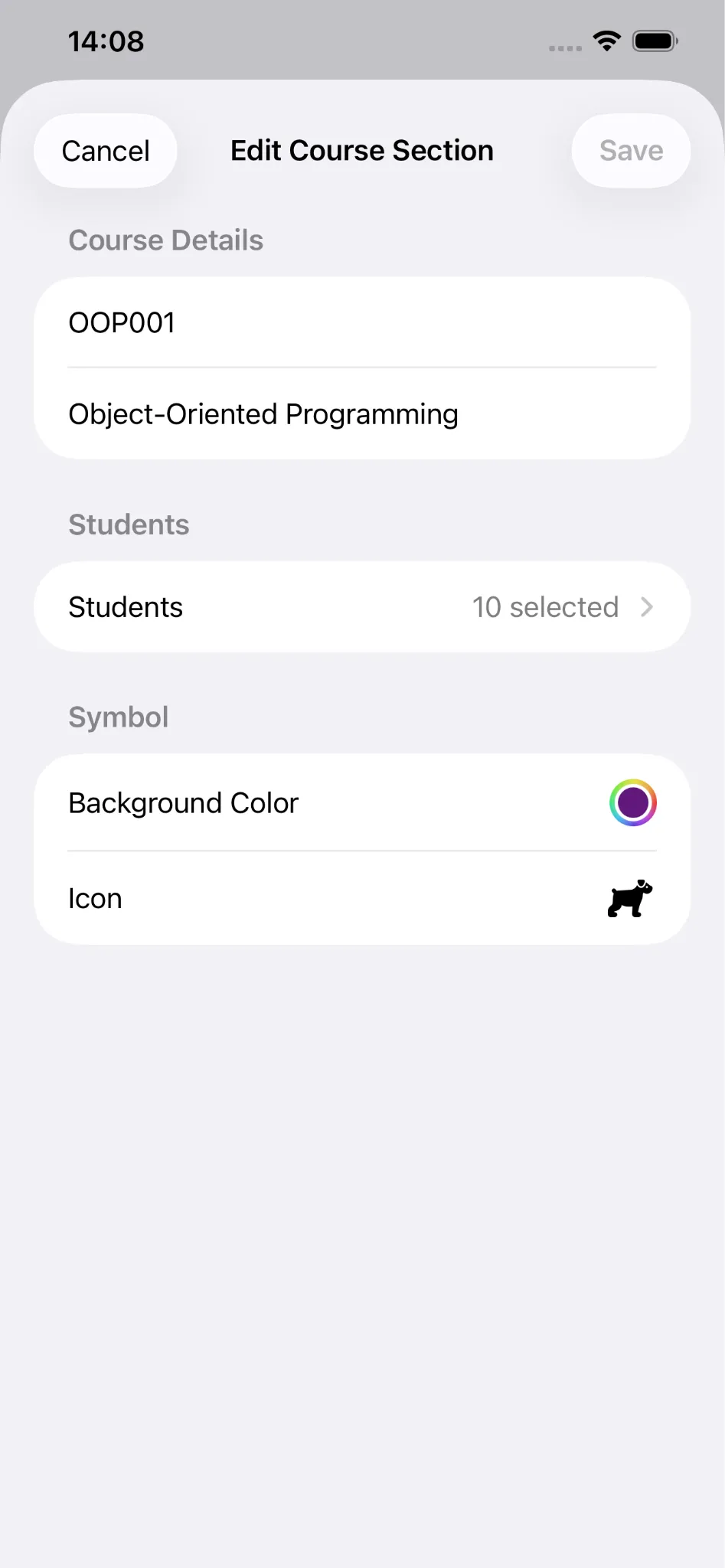
Customize classes
You can edit the ID, name, students, symbol of the course section.
Take attendance in class using technology. Download Classface today!
Keywords: attendance, roll call, face recognition, classroom, students, teachers, education, school, course, roster